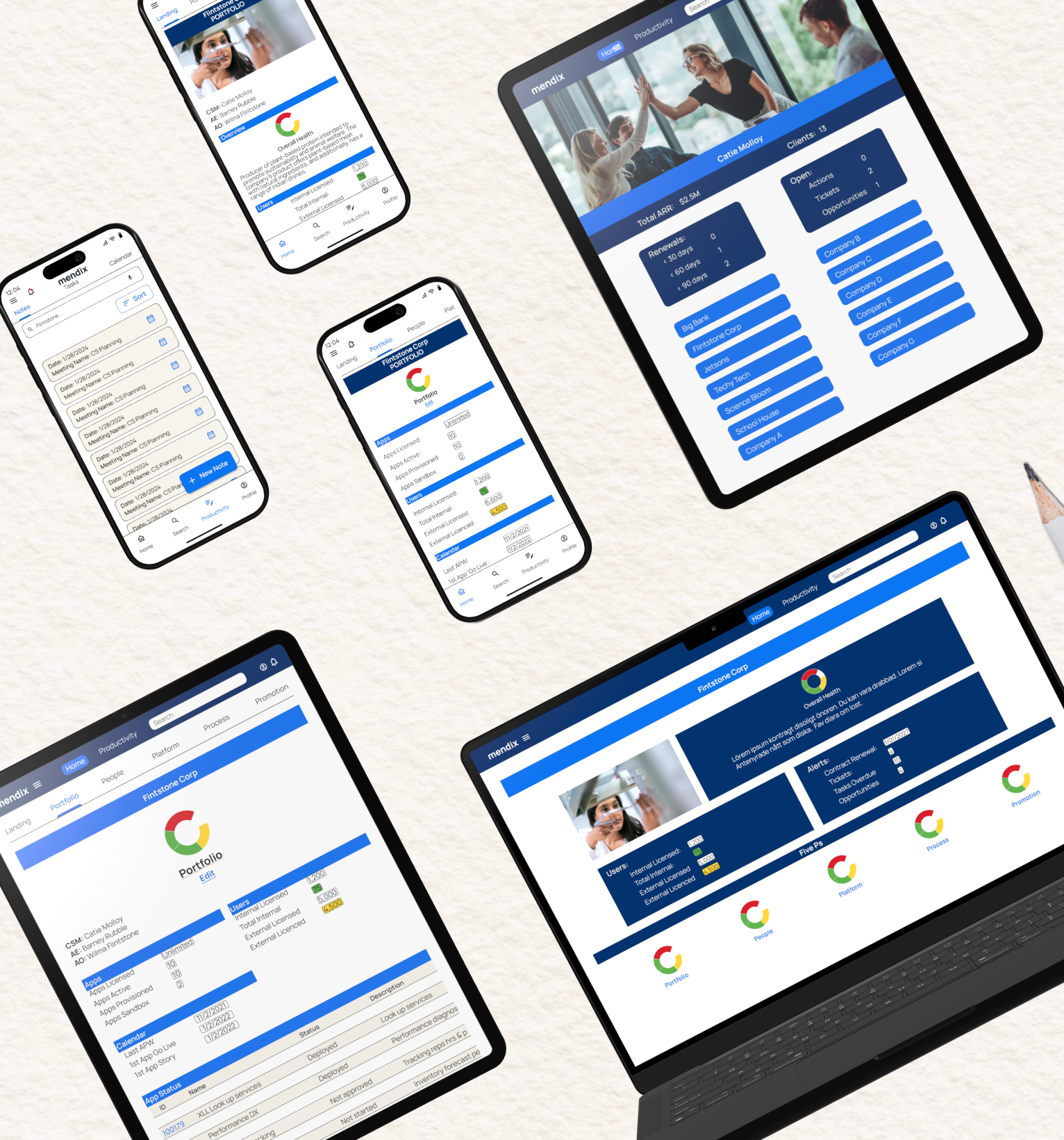
MENDIX CUSTOMER SUCCESS APP
Customer Success Management (CSM) responsive web app that efficiently gathers, organizes, and makes transparent all CSMs’ customer information. The App also keeps tasks up to date, reminders top of mind, and highlights clear responsibilities thus alleviating misunderstanding and replication of work. Finally, the App aids in seamless hand-offs when it’s time to transition a customer to a new CSM.
MY ROLE
My role was both UX and UI but I was primarily focused on UI.
Working with preexisting wireframes, I was tasked to create a functional design that complemented the Mendix Corporate Design System.
This included:
UX Research: Interviews, Competitive Analysis
Wireframes (Low, Mid, and high fidelity)
Mood Board
Animation
UI/UX Prototype
User Testing
Style Guide/Design System
TOOLS
TEAM
Figma
Unsplash
Rotato
Mockuuups Studio
Giffy Canvas
Chart
Mentor: Marti Bruno
Project Manager: Brenda Malloy
What are users needs, goals and desires? UX R&D is needed!
MENDIX CSM PERSONAS
Though interviews with Mendix Customer Success Managers, I was able to dig deeper into the problem(s) and more fully understand the users’ needs. Using Affinity Mapping I distilled the feedback into two Key Personas. The Customer Success Manager and the Director; Customer Success Department.


David Kempt
Director, Customer Success Department
-
David is passionate about the success of his department which requires an on-going balance act. The decisions David makes must, not only Create success for his department, but serve Mendix corporate needs, the needs of his team and the customers they serve. Clear and transparent communication is a key value for David.
-
David is Hybrid working out of Mendix office in Boston and near his team in the west.
-
“One Pane of Glass” to Quickly understand where projects are in process, where customers are and are not being served, communicate efficiently with his team and stakeholders, fill gaps, find solutions, and manage expectations.
-
One centralized tool to view all Customer Success Managers’ Projects and Progress.
Quick, sorted, and accurate customer information to better understand department needs and keep the Mendix Stakeholders informed.
Ability to communicate with his team “real-time” on a diverse range of tasks and projects in process.
-
Inefficient communication and missing information make it difficult to make informed decisions.
Searching for and organizing information from and for his team is time-consuming.
Lack of transparent workflows, tasks completed, and timelines.
-
With over 15 years of experience, David Is highly competent in technology and Customer Success Management. He believes in the power of technology to create a better life for himself, his employees, and the world.
Catie Malloy
Senior Customer Success Manager
-
Catie is an organized and proficient multi-tasker who is passionate about her customers. She works remotely and travels to visit customers on a regular basis.
-
As a remote employee, Catie works from her home office in Denver, Colorado, and is often flying out of DIA to visit her customers.
-
Serve her customers with quick, efficient, real-time information to move forward on projects efficiently and seamlessly. Ultimately, to create success for her clients. Customer Success will create loyalty and increased income for Mendix.
-
One centralized tool for Customer Success Managers
Get sorted, filtered, and organized customer information from all departments who interact with the customer. So that I can decrease the time and effort of preparing for team and customer meetings.
Visibility of Task ownership, with task lists and reminders, available to the whole team to alleviate miscommunication.
-
Overlapping responsibilities
Replication of work
Inefficient communicaiton
Lack of transparent workflows, tasks completed, and timelines.
-
With over 30 years of experience, Catie Is highly competent with technology. She has worked with several tech companies. Her unique combination of tech knowledge, EQ, organization skills, and attention to detail are her top strengths.
WHATS THE STORY?
As a Customer Success Manager at Mendix I need an ongoing summary and view of my customers information using “One pane of glass” so that I can save time by avoiding logging into different systems to gather the complete information I need for team and customer meetings.
As a Customer Success Manager who works at Mendix I need customer information, history, tasks and goals available to my colleges so that If I’m not available or if I’m transferring into or out of an account, the information can be transferred seamlessly and the new Customer Success Manager can hit the ground running.
As a Customer Success Manager who works at Mendix I need Tasks, Progress, Meetings, and Notes available to be viewed by my colleagues so that the team working with the Customer understand where we are in the project, process, task assignments and meeting Notes. This will improve communication.

USER FLOWS
Through my UX research I was able to define key goals and thoughtful architecture needed to inform initial wireframing
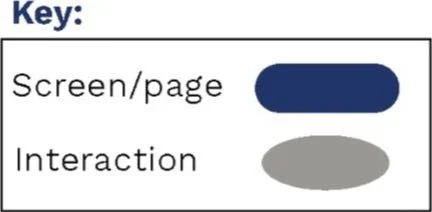
ENTRY POINT: Log In
BUSINESS CRITERIA: Update Health Graphic in Flintstone Portfolio

ENTRY POINT: Log In
BUSINESS CRITERIA: Create CSPlan Meeting Notes for Fintstone Account

ENTRY POINT: Log In
BUSINESS CRITERIA: View, Edit Tasks and Filter Tasks

LOW FIDELITY WIREFRAMES
Incorporating the flows above into initial wireframes and implementing some quick paper prototyping, enabled me to quickly identify and correct errors in my flows. For example, I quickly discovered tasks needed to be grouped with notes and calendars under a separate navigation for “Productivity”. Also Filters, such as Customer, Type and Date were needed in Notes and Tasks.


MID FIDELITY WIREFRAMES

The responisve App was beginning to take shape. Using UI Patterns, Elements and Organization I was able to more fully flush out the flows and create additional flows.
USER TESTING
identified key areas of improvement and answered important questions that came up in the design process including:
Key learning: On CSM Home page, at a glance description of the Customer is not needed. Only Customer name.
Key learning: On CSM Portfolio Page, Ata a glace descriptions of 5Ps/Cards are not necessary. All information can be on the corresponding page.
Key Learning: Edit button not needed on the edit overall health page.
New Request: Task boxes should show where in the process of finishing the task we are.
New Request: Show if a calendar date has been set on tasks.
Questions Answered:
When and for what reasons will Mobile App be more used?
What information needs to be on the Mobile version versus the full desktop version? How can the mobile version be paired down?
What areas require user data input options and what patterns would be helpful here?
What data is synced with inputted and updated data from other departments?
How can the Note section better serve the user’s needs?

Let the UI Design Fun Begin!
IMAGE DIRECTION DOS
I adhered to Mendix's prescribed recommendation that images be clean with a wide depth of field emphasizing the subjects. I further refined image choice for the CSM department by requiring the images speak to the CSM department's values of collaboration, efficiency, and rapid results which lead to the ultimate value of Success for the customer.
You will also note images eluding to direction and technical acuity which the customer success team brings to the table.


IMAGE DIRECTION DON’TS

MOOD BOARD
The Mood Board reflects CSM department's values of collaboration, efficiency, and rapid results which lead to the ultimate value of Success for the customer.
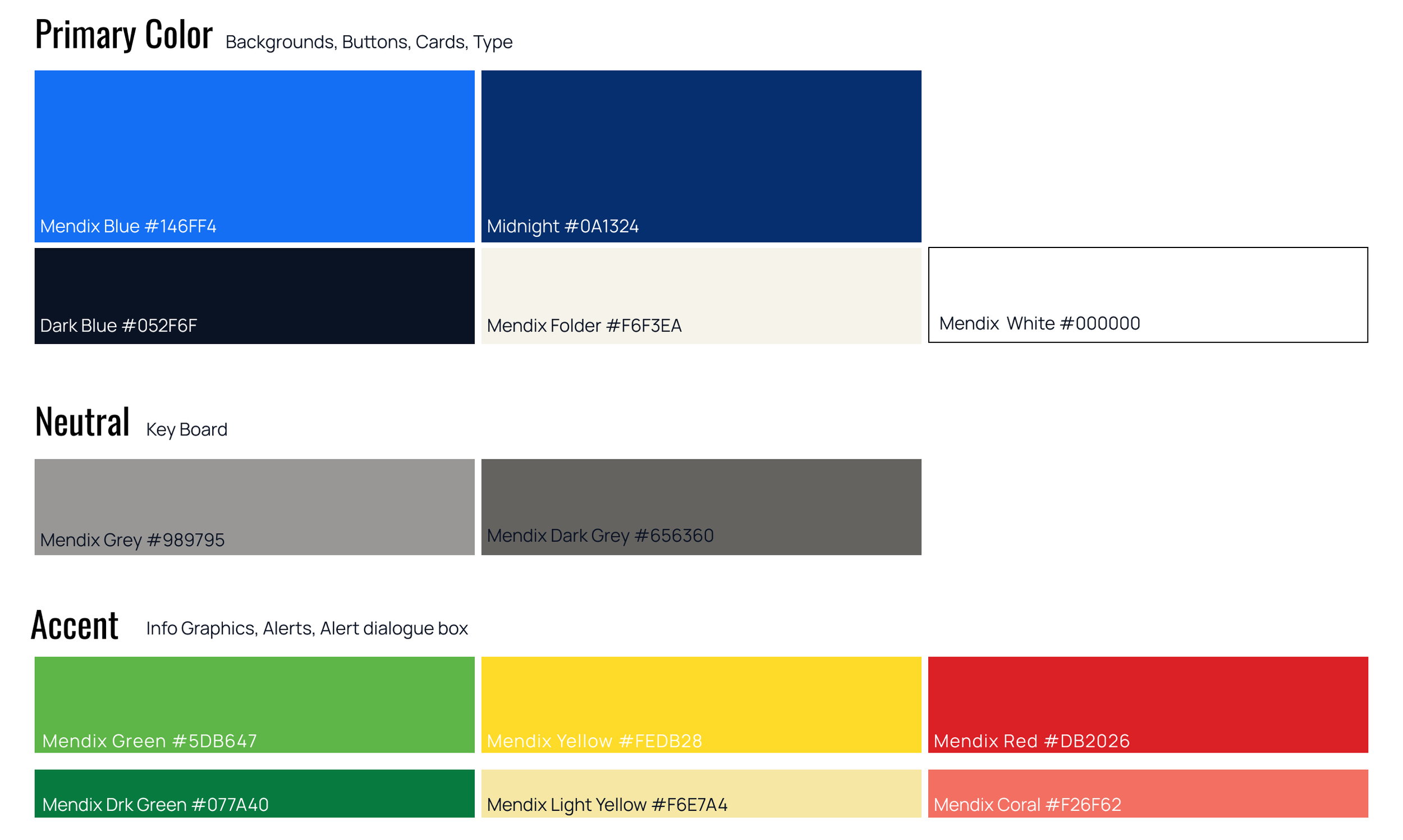
The color palette incorporated a lavender to emphasize collaboration and a softer side, however, this color was later dropped in favor of a more usable “Mendix Folder” which is a subtle reference to physical folders and a functional color for organizing data. Mendix primary Blue is an important part of the CSM App as well as other Mendix blue colors.
Accent Colors are Clean, Clear and Traditional as they are primarily used Functionally to communicate Progress within Info Graphics.
UI STYLE GUIDE
TYPOGRAPHY


ICONOGRAPHY
UI ELEMENTS

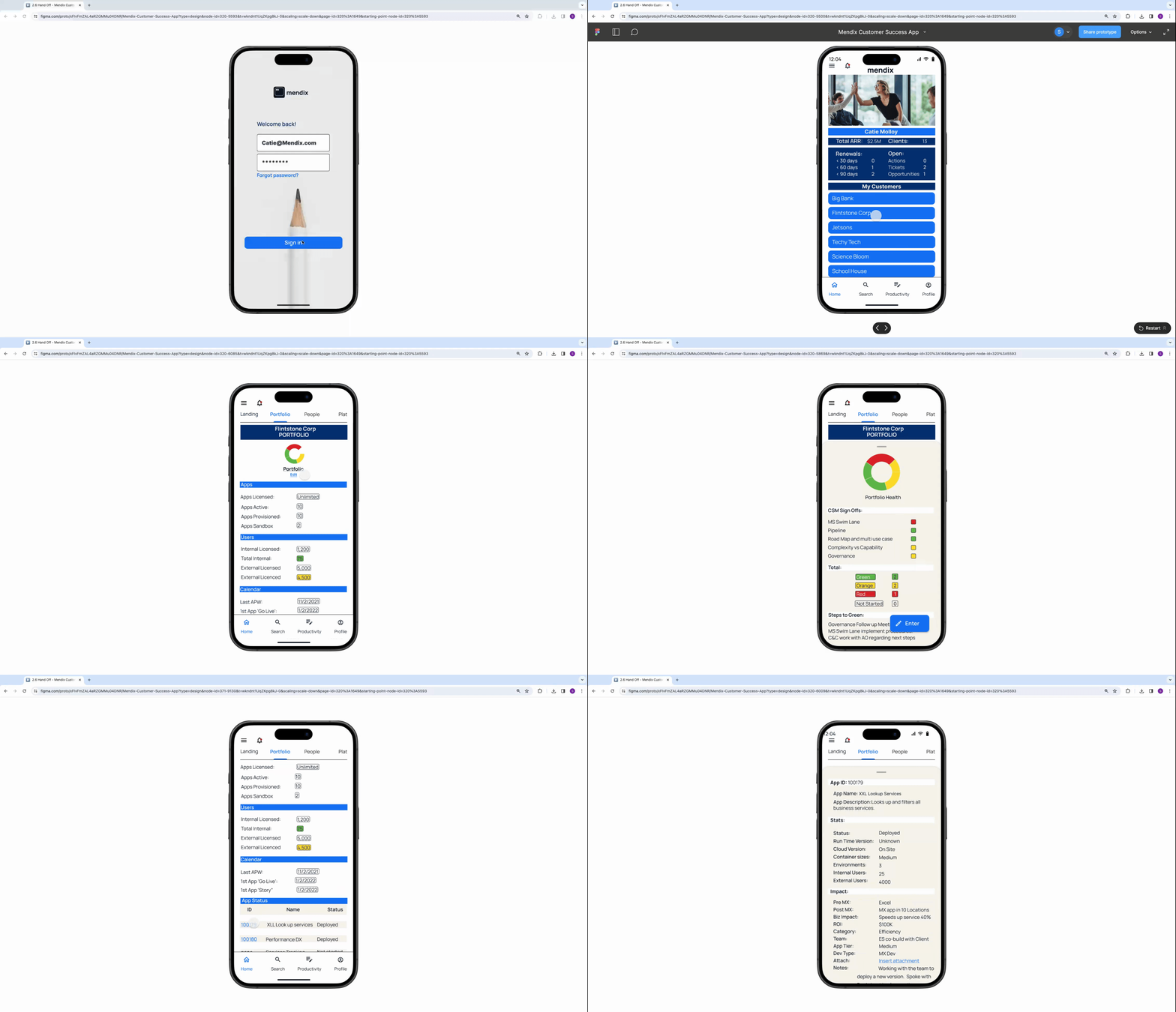
MANAGE PORTFOLIO
Enter Flintstone Portfolio
Edit Overall Health Pie Chart
Read more info on App

MANAGE NOTES
Create New Note
Publish Note
View All Notes
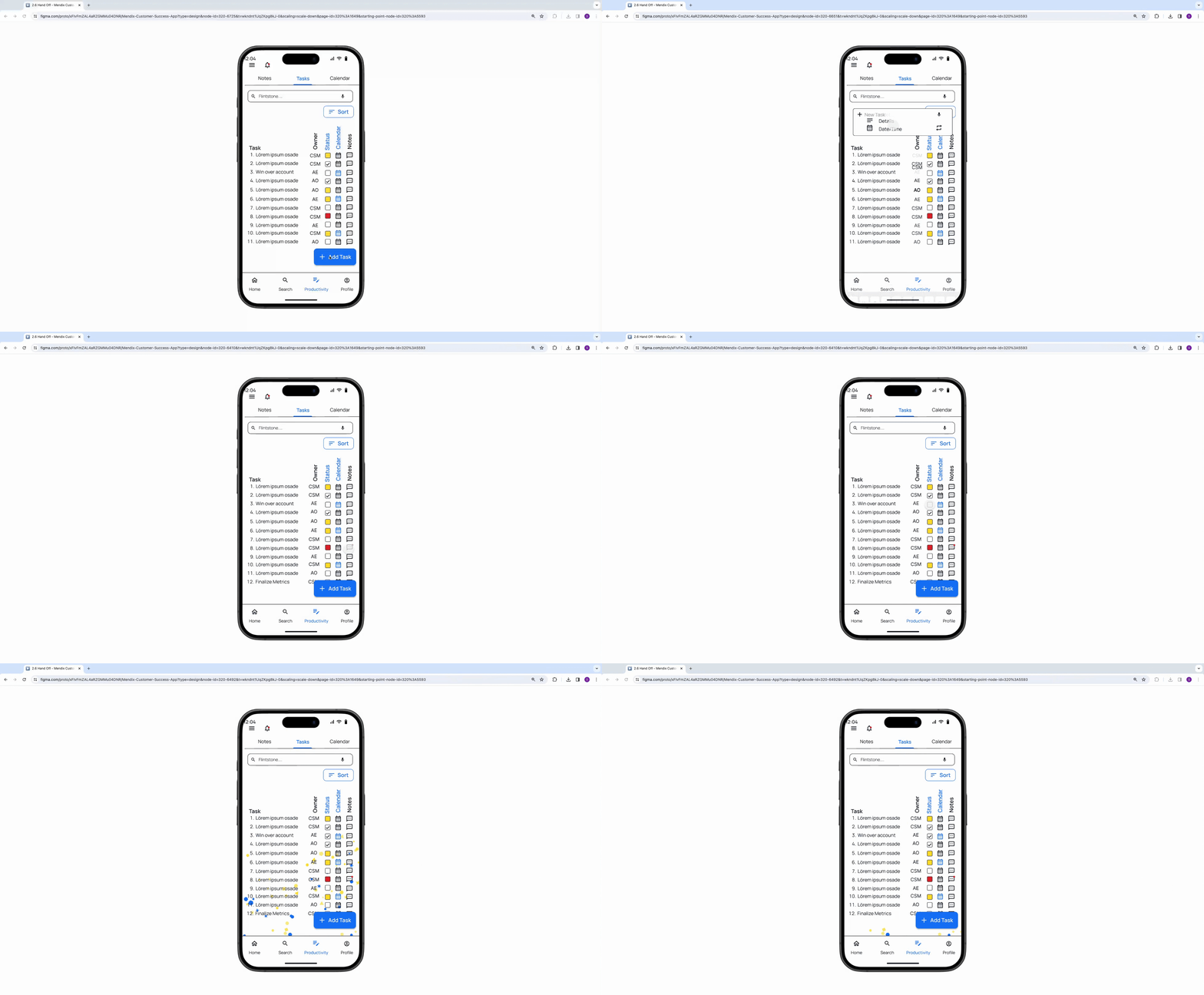
MANAGE TASKS
Create New Task
Check Messages
Chek off a Task
RESPONSIVE APP MOBILE 1ST APPROACH
The CSM team is “on the go” visiting Clients and building new relationships. Access to information on mobile phones, tablets, and desktops is imperative to their job performance and serving their customers.
The CSM team is tech-savvy and is deeply familiar with the value of responsive apps already they expect the adaptability a responsive app provides.
Designing for smaller mobile screens and scaling for larger desktop screens assures the efficiency and cleanliness of the App from the 1st design wireframes.

MOCK UPS

LEARNINGS AND IMPROVMENTS
While the Responsive App meets the needs of the Customer Service Manager, more interviews with directors and stakeholders is needed to better understand and meet the needs of Mendix directors, C-suite users, and beyond.
I’m learning to trust the process of rapid prototyping. I can spend a lot of time making my designs “perfect” only to find I need to redeisign them after a rapid prototyping and testing. Trusting the process will help me move more quickly through it feeling confident that the process allows time for perfection at the end.
TRY PROTOTYPE

Livy Case Study
